
Searching Cases by Name
The current local starting point is Galveston County's Odyssey portal. Choose Smart Search for a case or filing. Its main prompt accepts a record number or a name in Last, First Middle Suffix order. Separate fields require last and first names, while middle name and suffix are optional. A short, exact search often works best. If the result set is broad, open Advanced Filtering Options and narrow it by location, case type, status, filing dates, or judicial officer.
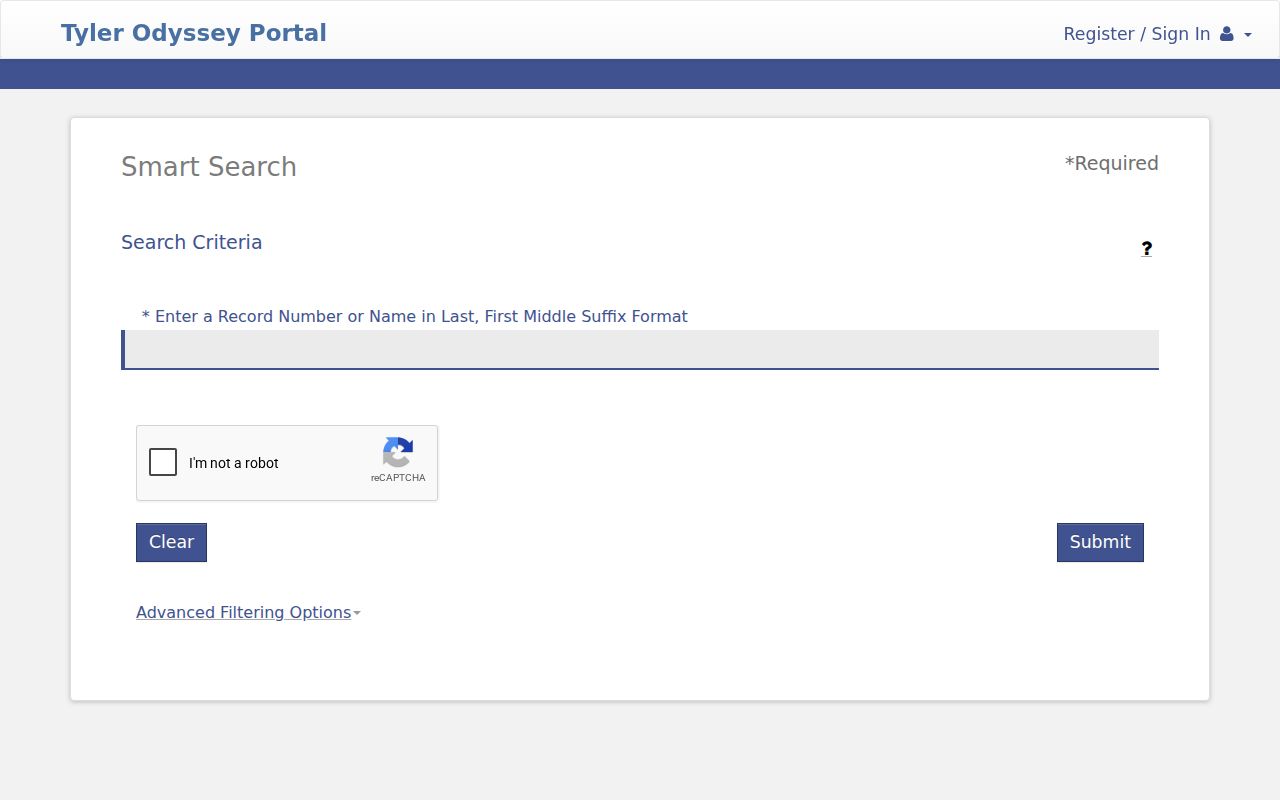
The captured Smart Search screen confirms the local field layout and keeps personal values blank.
- Open the official portal and select Smart Search.
- Enter the last name and first name. Add a middle name or suffix only when it helps separate matches.
- Select the correct location and search type. Use party, nickname, business, or sounds-like mode as the facts require.
- Apply case type, status, date, or officer filters, then open the matching case and inspect its events and hearings.
| Field Label | Type | Required | Notes |
|---|---|---|---|
| Last Name | Text | Yes | Pairs with required first name in the visible party form. |
| First Name | Text | Yes | Middle name and suffix may be added to narrow matches. |
| Location / Search Type | Dropdown | Yes | Search modes include party, nickname, business, and sounds-like. |
| Case Type / Status | Dropdown | No | Useful when a common name returns several case groups. |
| File Date Start / End | Date | No | Limits results by filing date, not hearing date. |
| Judicial Officer | Dropdown | No | Use only when the assigned court or officer is known. |
Galveston County Odyssey Case Search
Odyssey separates case discovery from hearing discovery. Smart Search looks for a case, party, or record number. The portal's Search Hearings form is the county's stated tool for a hearing date and time. It asks for location, hearing type, search type, criteria, judicial officer, courtroom, and a date range. Party-name controls and a sounds-like option can further narrow the request.
That split prevents a common error. A case detail may contain past and future events, while the hearing tool is aimed at scheduled settings. Neither result proves what took place in court. A reset or cancellation may post after a search was saved. For a near-term setting, call the specific court coordinator and state the court, case number, event label, and date shown.
Note: The county portal requires JavaScript and cookies, so a failed page load is not proof that a case is absent.
Galveston County Case Number Searches
A record number is usually the most precise search key. Enter the number exactly as it appears on a notice, pleading, citation, or prior docket entry. Odyssey's prompt accepts the number in the same main field used for a name. Galveston County uses more than one court system, so no single public format applies to every district, county, probate, JP, or municipal matter. Treat a source number such as the full record number shown by the issuing court as one unit, including its letters, year, punctuation, and leading zeros.
If an exact entry fails, remove only punctuation and retry. Then confirm the location and case type. A municipal citation number may belong in a city portal rather than Odyssey. A federal case uses PACER. Asking the clerk to identify a record works best when the request includes the court level, approximate filing year, case type, and full number shown on the source document.
Galveston County Case Search Custodians
A negative county search can mean the wrong custodian was chosen. The District Clerk holds district civil, family, and felony records. The County Clerk serves county-court and probate work. Four JP precincts keep their own fine-only, eviction, small-claim, and debt matters. Each municipal court keeps the city traffic, parking, ordinance, and Class C cases filed with it.
The County Clerk court information page links court resources, while the District Clerk is the official path for district records and copy questions. An arrest-stage magistrate event may not look like a conventional trial case. Federal matters in the Southern District of Texas are outside the county system.
Choose by court first. The issuer, case type, and court named on the source paper are more reliable routing clues than a party name alone.
What a Case Search Returns
A Galveston County case result is an index and event history, not always the whole file. It can show the case caption, court, type, filing date, parties and roles, event entries, settings, a status or disposition, costs, and links to available images. An event labeled filed records receipt of a paper. It does not mean the judge granted the request. A setting shows planned court activity. It is not a judgment.
| Record Number | The court's identifier, whose format depends on the court system. |
|---|---|
| Style / Parties | The case caption and public party-role display. |
| Case Type | Civil, family, probate, felony, misdemeanor, juvenile, traffic, or another local category. |
| Filed Date | The opening date or date of one filing, not a hearing date. |
| Events / Filings | A dated chronology that may link to an available document image. |
| Setting | The court, date, time, type, room, officer, and status when published. |
| Disposition | An outcome entry that may require the signed order for full meaning. |
Galveston County Case Search Safety
Advanced forms may offer sensitive facts as lookup keys. Do not copy a birth date, Social Security number, license number, plate, booking number, phone number, or home address into public notes, examples, screenshots, or shared links. Use the least sensitive field that can separate results. Save only a clean official portal URL with no personal query string.
Texas Rule of Civil Procedure 21c addresses sensitive-data redaction in filed documents. Juvenile material has added limits under Family Code Chapter 58. A careful Galveston County case search records the public event label and court without republishing protected identifiers. Blank forms and synthetic examples are safer than live records when explaining how a field works.
Statewide vs County Case Search
re:SearchTX is a statewide discovery layer for participating district, county, family, and probate records. Its official guide describes Cases, Filings, Text, and Hearings tabs, keyword search, filters, detail views, and save or export options. A user can sign in with eFileTexas credentials or register. Coverage can differ by county, date, record class, and local system integration.
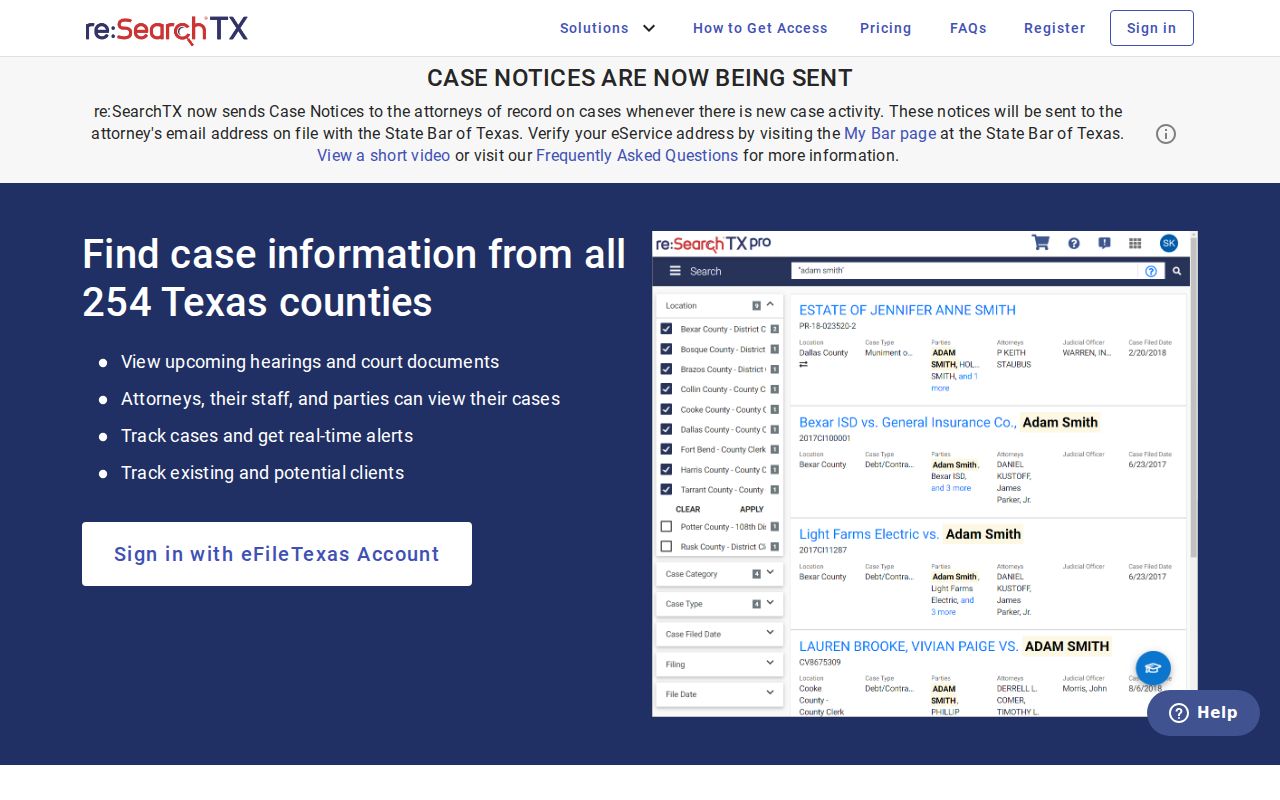
The statewide search screen is a second discovery path, while the local custodian remains the source for a complete Galveston file.
| Statewide Portal | Galveston County Portal |
|---|---|
| Participating Texas courts and counties | Galveston County records in the local Tyler system |
| Cases, filings, text, hearings, and filters where supplied | Local Smart Search plus a separate Search Hearings tool |
| Useful when the exact Texas county is uncertain | Best for a known Galveston court case and current local events |
| May lag or omit a local record class | Still subject to indexing, archive, and access limits |
Galveston County Case Search Transition
The county's legacy Public Access page posted an end-of-support date of December 31, 2025 and directed users to Odyssey and re:SearchTX. The current County Clerk page links the main county Odyssey hostname. An older notice used a different portal hostname. That difference reflects a transition, so start from the current county government link rather than a saved vendor address.
When an old bookmark fails, do not infer that a court record was removed. Return to the county portal landing page, enable JavaScript and cookies, and try a supported browser. Search Smart Search for the case and Search Hearings for a setting. If the document link is missing, ask the correct clerk for a copy. A text index can remain public even when an image was never digitized or cannot be shown online.
Note: Record the search date and source when two official systems display different case details.
Galveston County Search Troubleshooting
No result may call for a spelling change, a shorter name, a wider filing range, another location, or the exact record number. Too many results call for the opposite: add case type, status, dates, officer, or business-name mode. When a hearing is absent, switch from Smart Search to Search Hearings and check the room, location, event type, and date range.
A missing image is not a missing case. Ask the custodian for the named filing. If county and statewide data conflict, record the capture date and verify the latest event with the clerk or court coordinator.
Galveston County Restricted Case Access
Public access has firm limits. Texas Rule of Civil Procedure 76a governs sealing of civil court records, and Rule 21c protects sensitive data. Family and probate cases may mix public docket entries with protected attachments. Juvenile records are subject to Family Code Chapter 58, while a final expunction order under Code of Criminal Procedure Chapter 55A can restrict release of criminal records.
A no-result screen cannot tell the reader whether no case exists. The record may be sealed, confidential, expunged, archived, held by another clerk, not yet indexed, or absent from that portal's coverage. The District Clerk forms page lists motions to inspect or receive a copy of a sealed file, including a separate juvenile form. Those forms create a request path, not a right to bypass a restriction.
For an ordinary public record, describe the court, case type, filing period, and document sought. Ask the custodian which law, rule, or order controls a denial and whether a redacted copy or index entry remains available. Texas judicial records and court case files do not all follow the Texas Public Information Act in the same way as executive-agency records.